

Add Product guide
Seller Add Product Guide
Learn how to add products to your store, upload images, manage attributes, set pricing, and publish listings properly on BrandLuxJP.
How to Add Product to Your Store
You may follow the guide below to create a product listing correctly and make your store more attractive to buyers.
Add Product Step-by-Step Guide
Follow each step below carefully with the screenshots provided for easier reference.
Go to Products and Add New Product
Start your product listing from the sidebar menu.
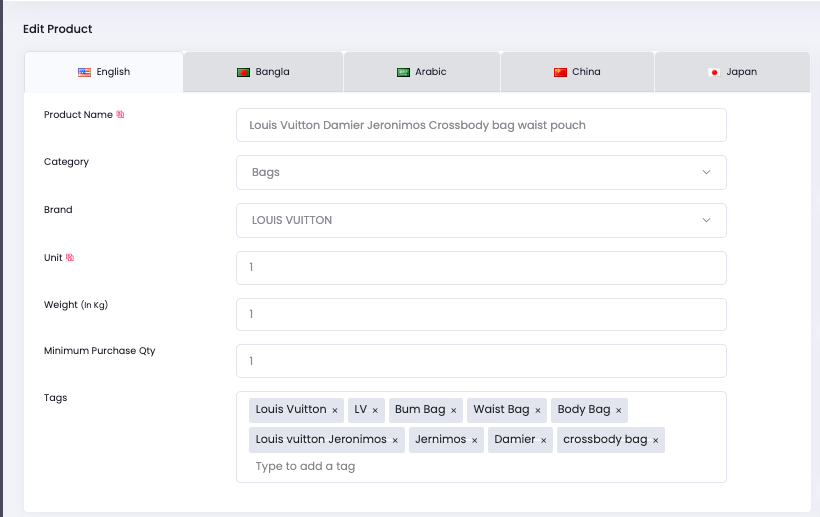
- Click on the sidebar, then go to Products and select Add New Products.
- Input the Product Name.
- Select the correct Category for the item.
- Input how many unit pieces are available for the product.
- Input the weight of the product in KG, as this affects shipping fee calculation.
- Minimum purchase can be adjusted if needed.
- Add Tags to improve how consumers search for your product from the internet.
Add Gallery Images
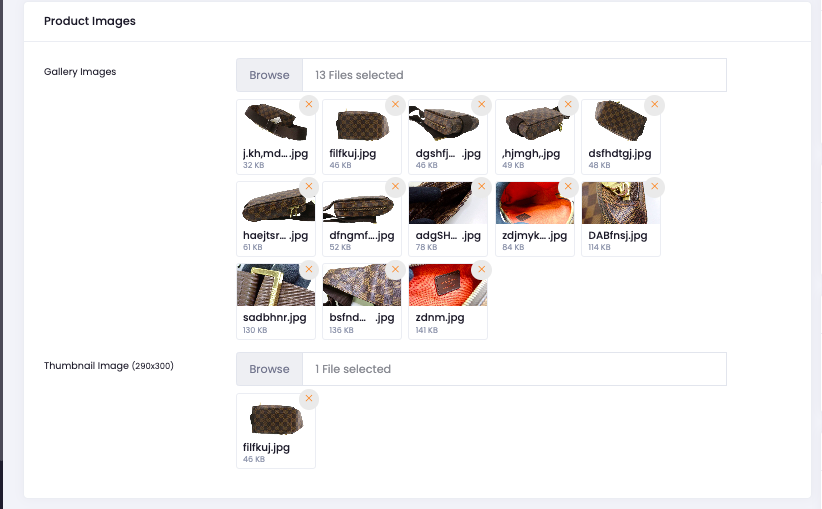
Upload attractive product images for your store listing.
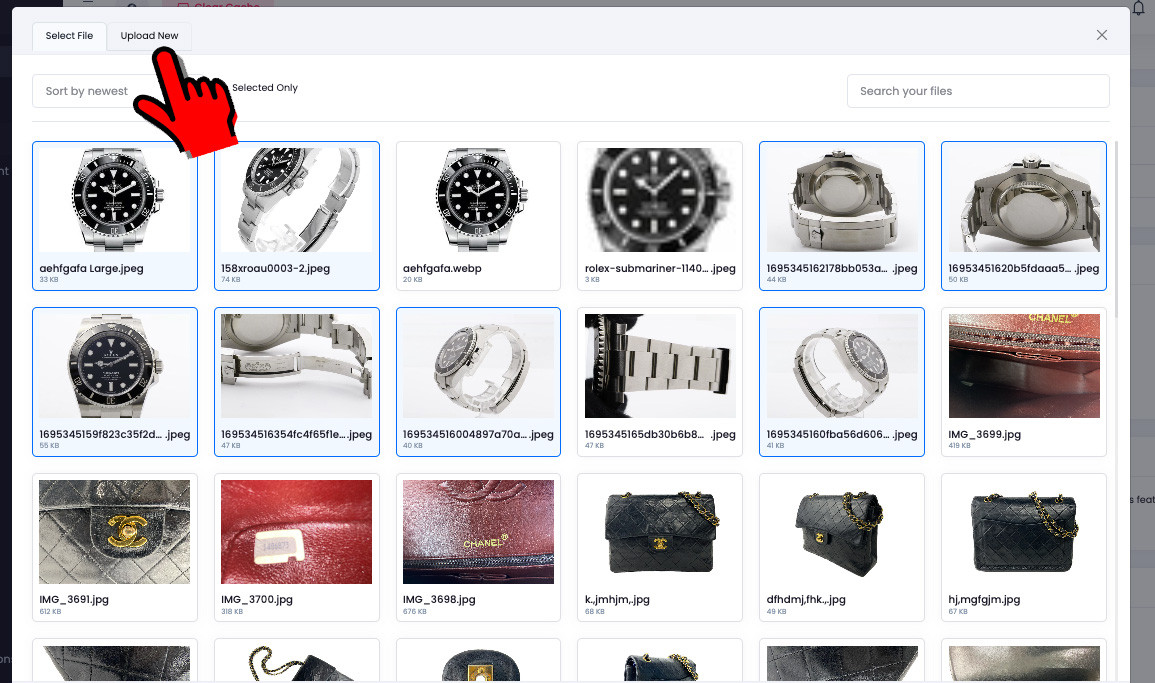
- Go to Gallery Images and click Browse.
- Click on Upload New.
- Select Insert Files, choose the images accordingly, then save.
Select Colors and Attributes
Complete product details for better search and filtering.
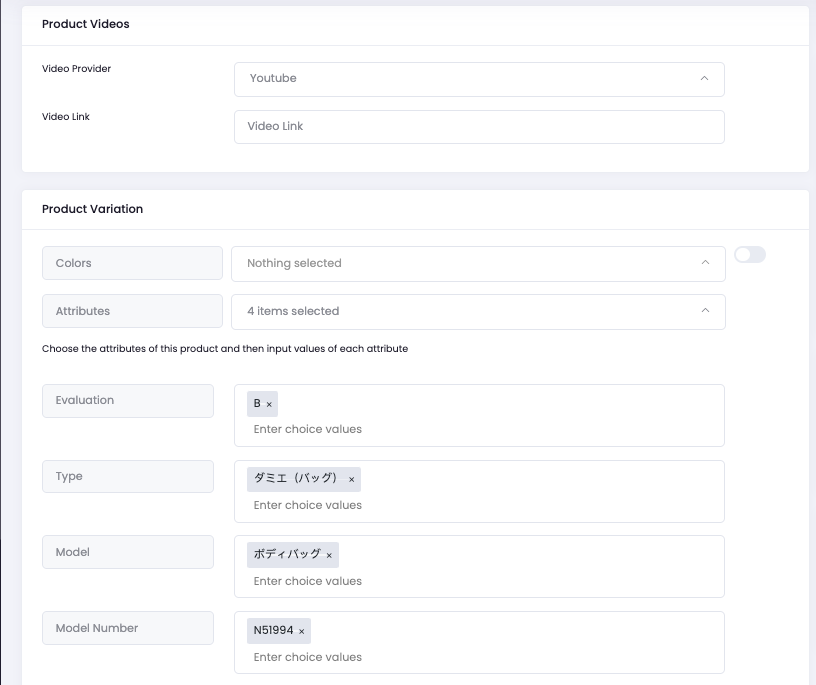
- Select the product colors if applicable.
- Click on Attributes.
- Select the relevant fields such as Shape, Type, Model, Evaluation, and others.
- Input the details for the Attributes as shown in the example.
Set Price, Discount, SKU and Quantity
Complete your pricing information properly before publishing.
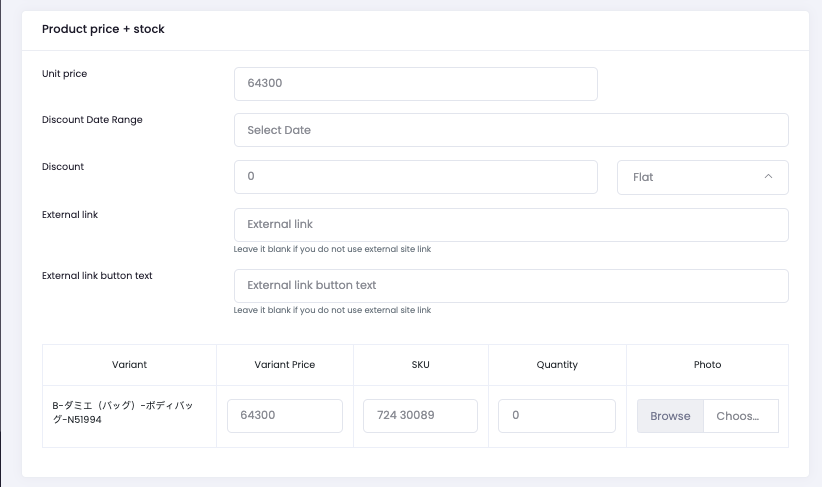
- Key in the Selling Price.
- You may add in discount amount or percentage.
- Input your SKU number for easy product retrieval.
- Input the quantity of the product.
Description and Extra Images
Add more product details and make your listing more attractive.
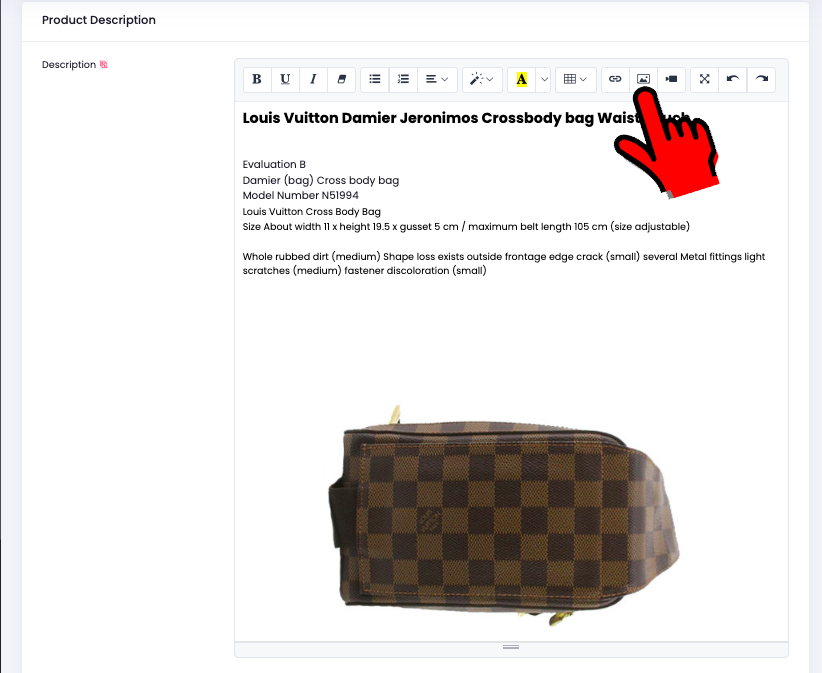
- Input the extra description and details for the product.
- Add in extra images to make your product much more attractive.
Copy Image Address from Gallery
Use the uploaded image link inside your product description editor.
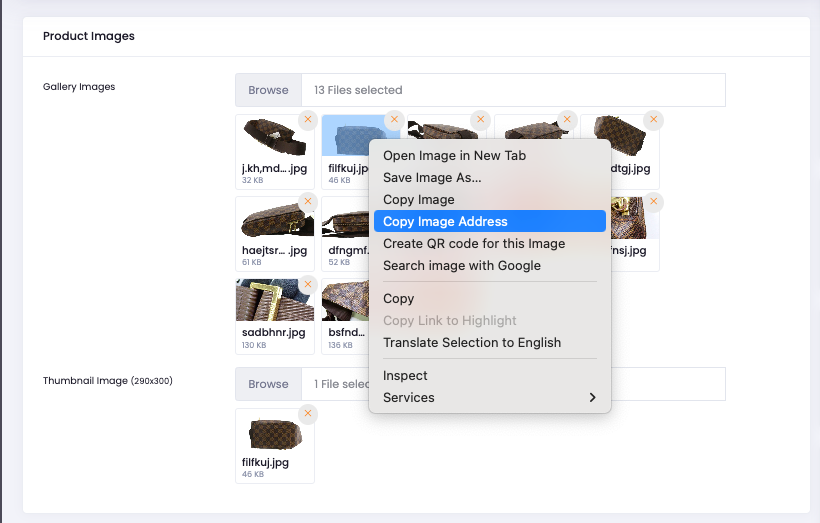
- Go back up to the Gallery Images.
- Left click on the image you want to add.
- Select Copy Image Address.
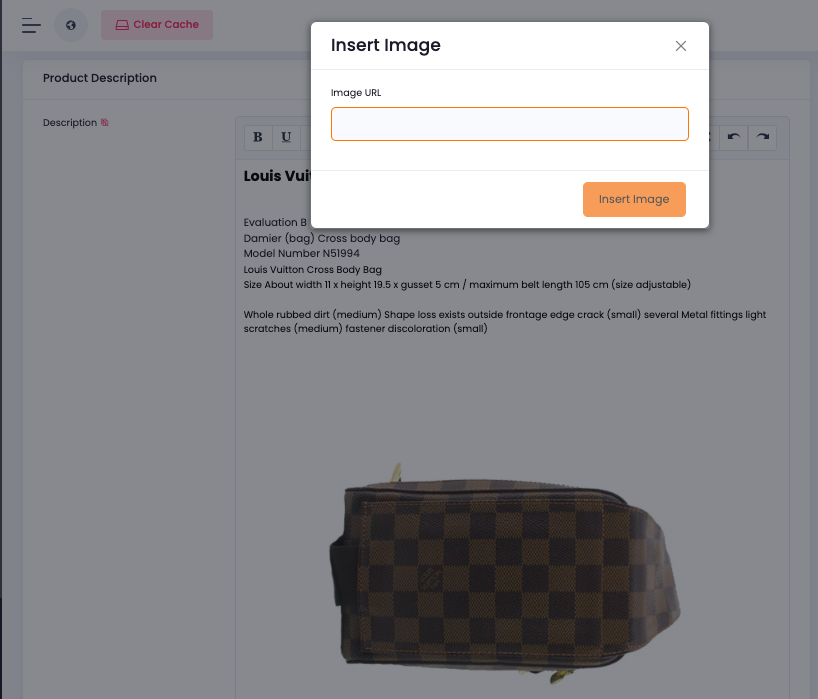
Insert Image into Description
Paste the copied image address into the editor.
- Click on the image icon inside the description editor.
- Paste the Image Address.
- The image will then be uploaded into the description details.
Save and Publish the Product
Finalize your listing and make it live in your store and marketplace.
- Lastly, click on Save and Publish.
- The product will be posted and can be viewed in your store.
- It will also appear in the Shopping Mall on the website.
Ready to Add Your Products?
Complete your listing carefully, upload attractive images, and publish your products to make them visible in your store and the BrandLuxJP Shopping Mall.
Go to Seller Account