

Seller Dashboard guidelines
Seller Dashboard Guide
Please follow the steps below to set up your seller dashboard, complete your store profile, upload products, and start selling more smoothly on BrandLuxJP.
Seller Dashboard Setup Guide
This page will guide you on how to access the seller dashboard, complete your store settings, manage products, and easily return to the main website.
Seller Dashboard Step-by-Step Guide
Each section below explains the operation steps in detail and includes original dashboard screenshots for your easy reference.
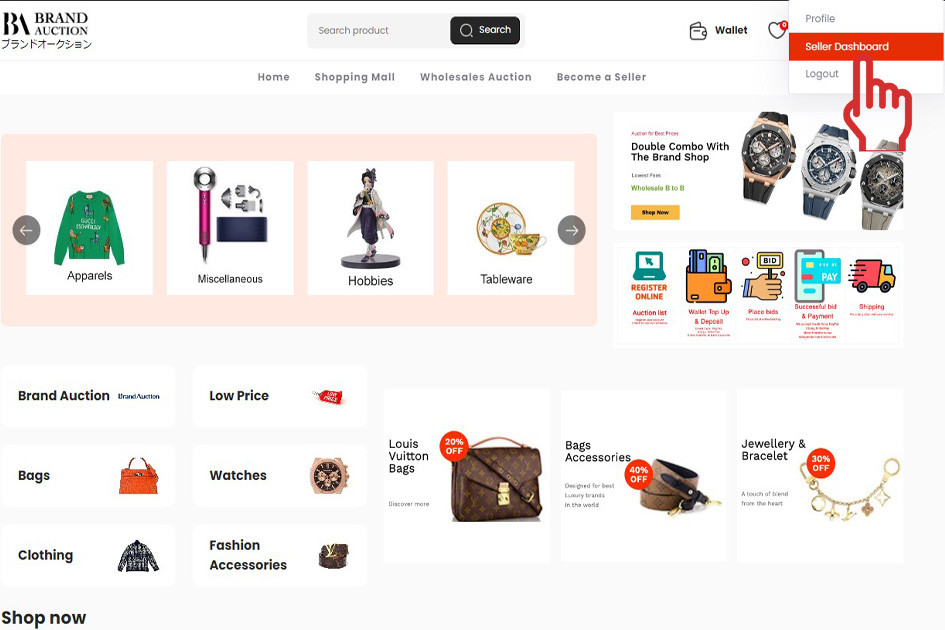
How to Access the Seller Dashboard
Start from the homepage and enter your seller area.
- From the homepage, go to the top right corner.
- Click Seller Dashboard.
- The system will redirect you to the seller control panel.
Complete Your Store Settings
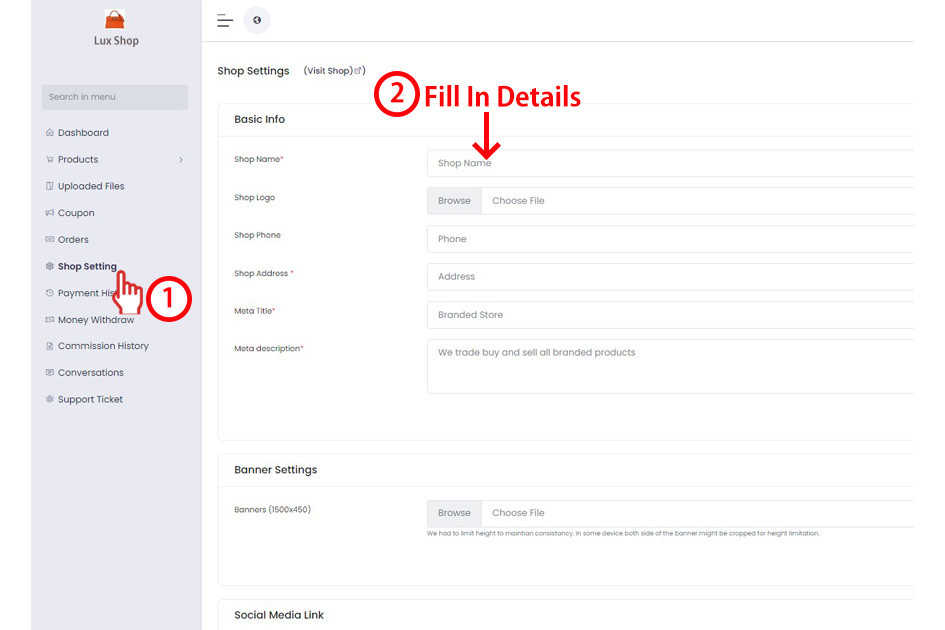
Set up your store profile, logo, and banner image.
- Click Shop Setting.
- Fill in your store information.
- Click Shop Logo and upload your store logo.
- Upload your Store Banner image. Recommended size: 1500 x 450.
Add Products to Your Store
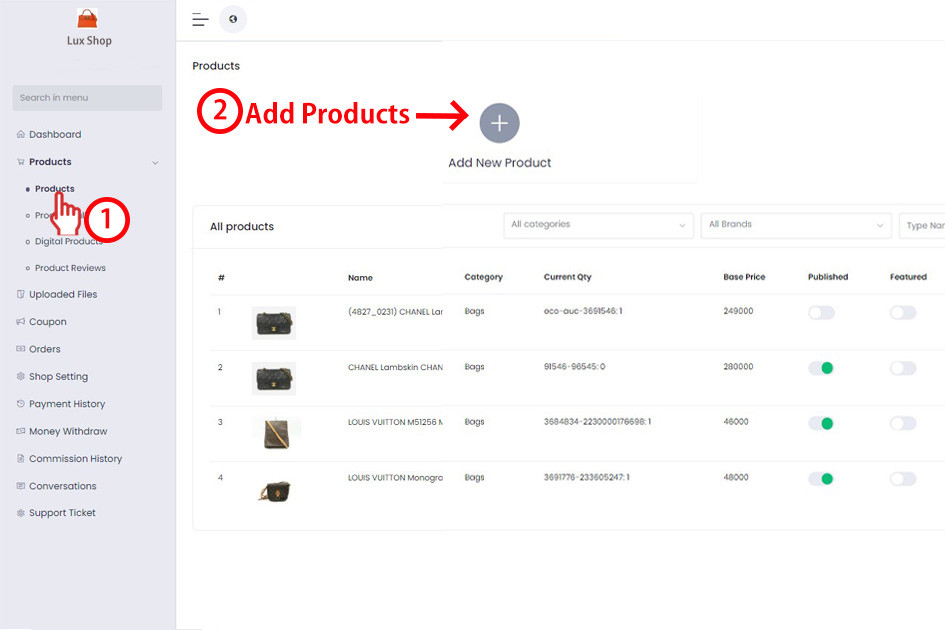
You can manually add products or automatically sync your successfully won auction items.
- Click Products, then add your products.
- All your successfully won auction items will be automatically uploaded to your store.
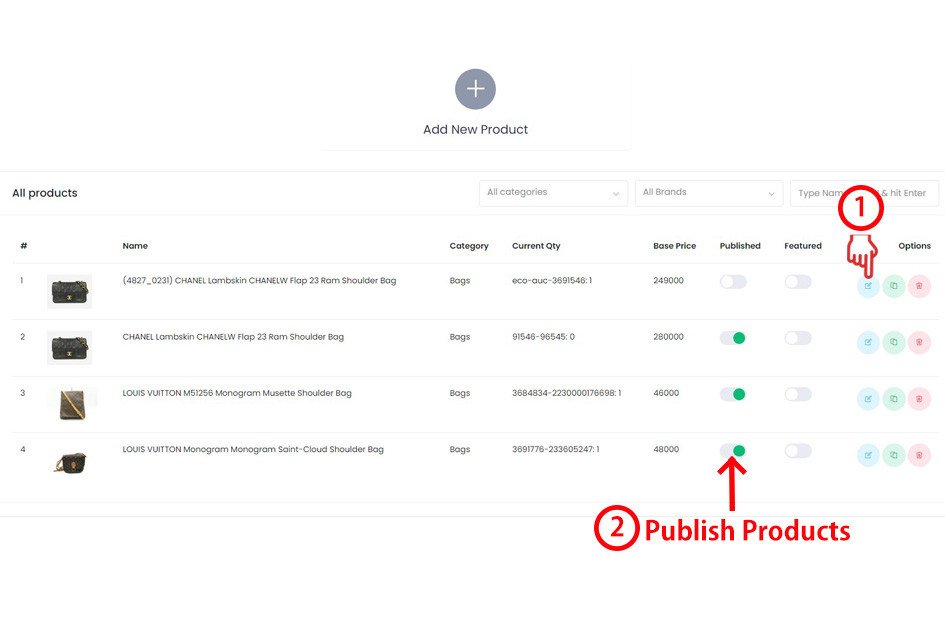
Edit and Publish Won Auction Items
Check the product information, update the selling price, and publish the item to the Shopping Mall.
- Your won auction items will be automatically uploaded to the product page.
- Click the Edit icon to modify the product details.
- You can update the selling price, product weight, and other item details.
- Once everything is correct, click Publish.
- After publishing, your item will appear in the website’s Shopping Mall.
How to Return to the Main Website
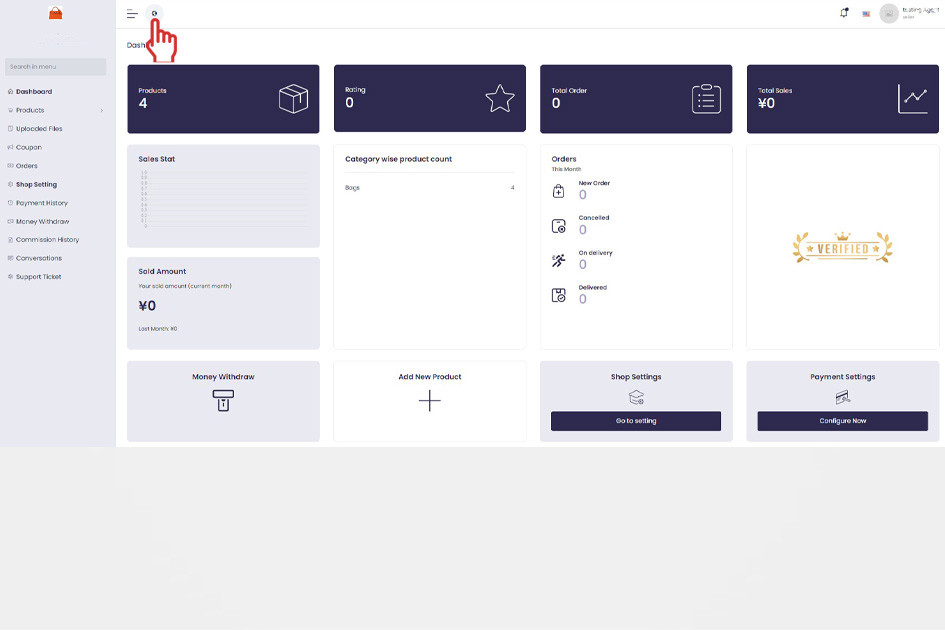
Go back to the main homepage from the seller dashboard.
- Go to the top left corner of the page.
- Click the globe icon.
- The system will redirect you back to the website homepage.
Ready to Start Selling?
Complete your seller dashboard setup, publish your products, and start reaching more buyers through your BrandLuxJP store.
Register Seller Account